
1xbat login safety information for Indian users, including password, OTP, fake link and public device reminders.
Before login checklist
Check HTTPS, the current domain, page language, brand name and device privacy before entering any login details.
Login safety center
This page helps users check account safety before login, including HTTPS, domain checks, password privacy, OTP handling, fake login pages, public-device risk and troubleshooting.
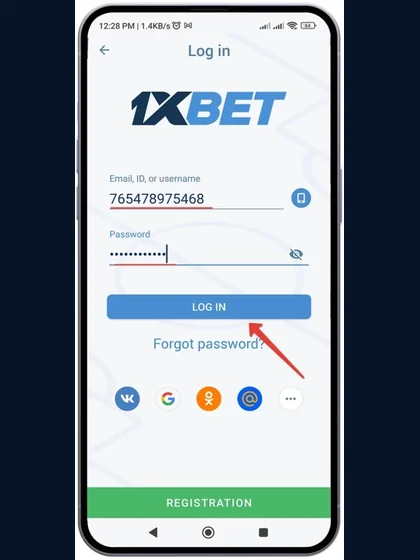
Check HTTPS, the current domain, page language, brand name and device privacy before entering any login details.
An OTP is for your own verification only. Do not share it with callers, messages, social groups or anyone claiming they can fix your account.
Use a strong password that is not reused elsewhere. Do not save it on public devices or send it through chat, email or social messages.
Copied pages may use similar colours or labels. Stop if a login screen asks for UPI PIN, card PIN, banking password or remote access.
Do not begin from a random social message. Use the site navigation, check the URL and confirm HTTPS before continuing.
Check whether the page language, branding and layout look consistent. Do not rush into entering details.
A login flow should not ask for banking PINs, full card details or payment secrets.
If you used a borrowed or shared device, log out, close the browser and clear saved data.
| Problem | Possible cause | What to check |
|---|---|---|
| Password error | Typing mistake, saved old password, keyboard language or account state. | Retype slowly, check caps lock, avoid repeated attempts and reset only from a page reached through known navigation. |
| OTP not received | Network delay, inbox delay, too many requests or incorrect mobile/email details. | Wait before requesting again, check network and never ask another person to receive or forward OTPs. |
| Page not loading | Weak network, cache issue, browser conflict or temporary page problem. | Try stable data, clear cache, update the browser and return through known navigation. |
| Suspicious link | Copied page, social message, fake support or reward shortcut. | Close the page if it asks for OTPs repeatedly, payment secrets or remote access. |
| Account locked | Repeated failed attempts, security hold, verification issue or account restriction. | Stop trying repeatedly and review official account recovery information on the current access page. |
| Public device risk | Saved passwords, shared browser sessions or visible OTP messages. | Do not save passwords. Log out, close the browser and clear data after use. |
Avoid saving login details on cyber cafe systems, work computers, borrowed phones or shared family devices. Log out after use, close the browser and clear saved data if you used a device you do not control.
Login is where most account risk begins. A returning user may think they are opening a familiar page, but a copied login screen can collect passwords, OTPs or payment details. A safer routine is to pause before every login, check the URL, check HTTPS, compare the page language and avoid links from strangers. The login safety center does not provide a private login system and does not collect passwords; it gives Indian users a practical checklist before using any account page.
OTP messages should be treated as private security codes. Do not share them with support-like accounts, callers, social groups or friends. If an OTP is delayed, wait before requesting another one. Repeated requests can create confusion, and entering codes on an unfamiliar page can increase risk. If the page keeps asking for new OTPs without a clear reason, stop and review whether the URL is correct.
A strong password should not be reused across email, banking, social media and gaming accounts. Saved passwords are useful on a private phone but risky on shared devices. Public computers, borrowed phones and work laptops may keep browser data after use. If you must use a device you do not control, avoid saving credentials, log out, close the browser and clear history where possible.
Safe login is not only technical. Users should be 18+, follow local laws and keep gaming within a planned budget. Do not log in while under pressure to recover losses, borrow money or continue beyond a time limit. No result is guaranteed, and gaming should remain entertainment rather than income.
After a successful login, do not immediately move into payment or bonus actions without reading current terms. Check account messages carefully, avoid saving passwords on shared devices and keep a record of any important account notice. If the session was opened on mobile, make sure the device lock is active and notifications are private. If anything looks unusual after login, such as repeated OTP prompts, payment-secret requests or strange account messages, log out and return through known navigation later.
1xbat login safety information for Indian users, including password, OTP, fake link and public device reminders.
No. This site is an access and safety information page and does not collect passwords, OTPs or banking credentials.
Check HTTPS, the current domain, page language, brand name and whether the page asks only for normal login details.
No. Never share OTPs, passwords, UPI PINs, card PINs or banking credentials with anyone.
Check password spelling, browser cache, network and OTP timing. Do not repeatedly submit details on unfamiliar pages.
For users aged 18+ only. Results are never guaranteed. Play responsibly, set limits, and follow local laws in your area.